TitleScreenVersion MZ
A downloadable asset pack
Title Screen Version Verifier (VisuStella Compatible)
This simple plugin for RPG Maker MZ performs an online version check and displays a message on the title screen. It's specifically designed to be fully compatible with the VisuStella CoreEngine and solves a common text-parsing issue.
The Problem This Solves
VisuStella's powerful CoreEngine completely overhauls how RPG Maker MZ processes and renders text to allow for advanced features. A side effect of this is that its text parser can sometimes misinterpret strings that look like text codes.
For example, a version number like 1.0.4 might be incorrectly displayed as 1.4 because the CoreEngine's parser sees the .0 sequence and attempts to process it as a special command, removing it in the process.
How It Works
This plugin solves the problem with a simple but effective trick. When it needs to display the version number, it invisibly inserts a "Zero-Width Space" character between the . and the 0.
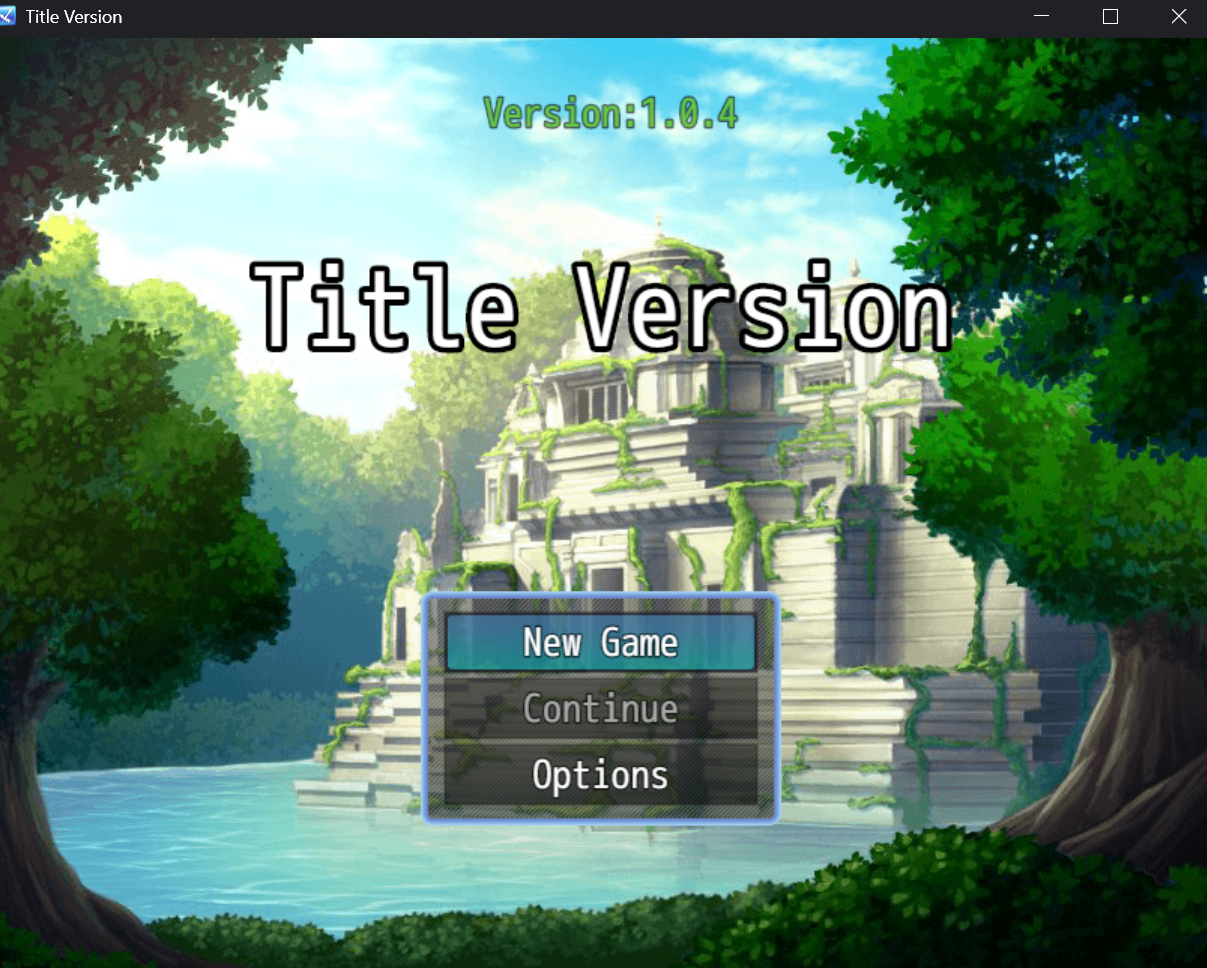
- For the Player: The text still looks perfectly normal: 1.0.4.
- For VisuStella's Parser: The sequence is no longer .0. It's . followed by an invisible character, followed by 0. This breaks the pattern the parser is looking for, forcing it to render the text correctly.
Features
- Automatic Check: Runs a check automatically as soon as the title screen loads.
- Success Message: Displays a customizable message in green if the online text matches the expected text.
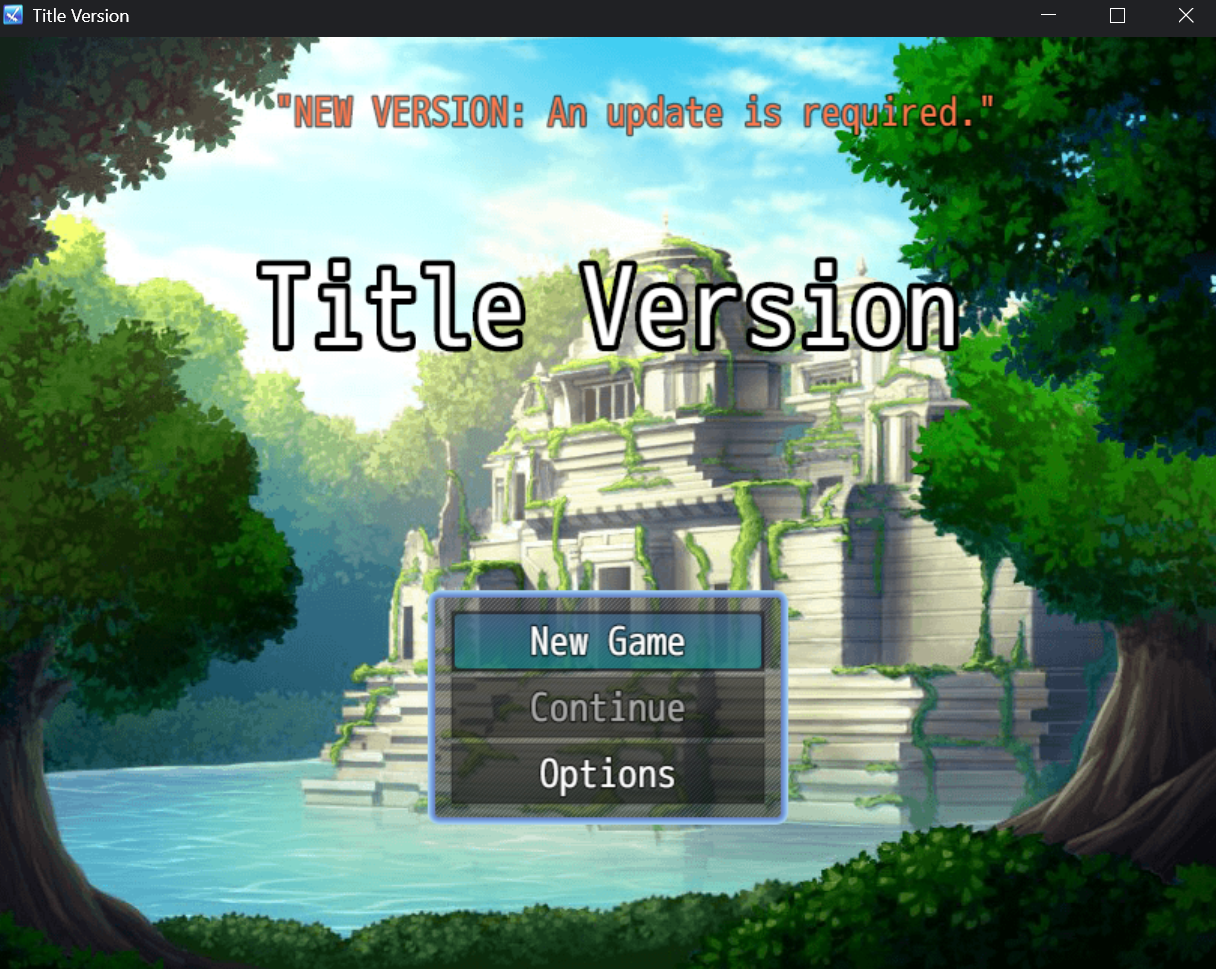
- Failure Message: Displays a customizable warning message in red if the text does not match or if there is a network error.
- VisuStella Compatible: Built from the ground up to work seamlessly with the VisuStella CoreEngine.
- Easy to Customize: Change all messages, the text position, and font size directly from the Plugin Manager
How to Use
- Save the plugin code as a .js file.
- Place the file in your project's /js/plugins/ folder.
- Activate the plugin in RPG Maker MZ's Plugin Manager.
- IMPORTANT: Make sure this plugin is placed BELOW VisuStella_0_CoreEngine in the plugin list to ensure compatibility.
- Configure the parameters to your liking.
Parameters
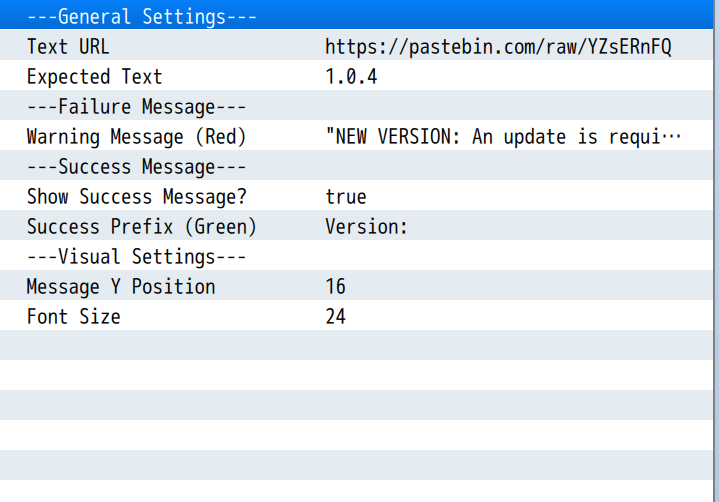
- Text URL: The direct URL to your text file. This must be a "raw" link.
- Example (Pastebin): https://pastebin.com/raw/xxxxxxxx
- Expected Text: The exact string the plugin should find in the file (e.g., 1.0.4). The check is successful only if the text is a perfect match.
- Warning Message (Red): The message shown if the check fails.
- Show Success Message?: If set to ON, a message will be shown when the check is successful.
- Success Prefix (Green): The text that appears before your version number on a successful check (e.g., "Version: ").
- Message Y Position: The vertical position of the message on the screen (in pixels).
- Font Size: The size of the message font.
Terms of Use
Free for use in both non-commercial and commercial projects. Credit is appreciated but not required.
Please do not re-distribute the plugin itself; instead, please link to this page.
Download
Click download now to get access to the following files:
Leave a comment
Log in with itch.io to leave a comment.